Update
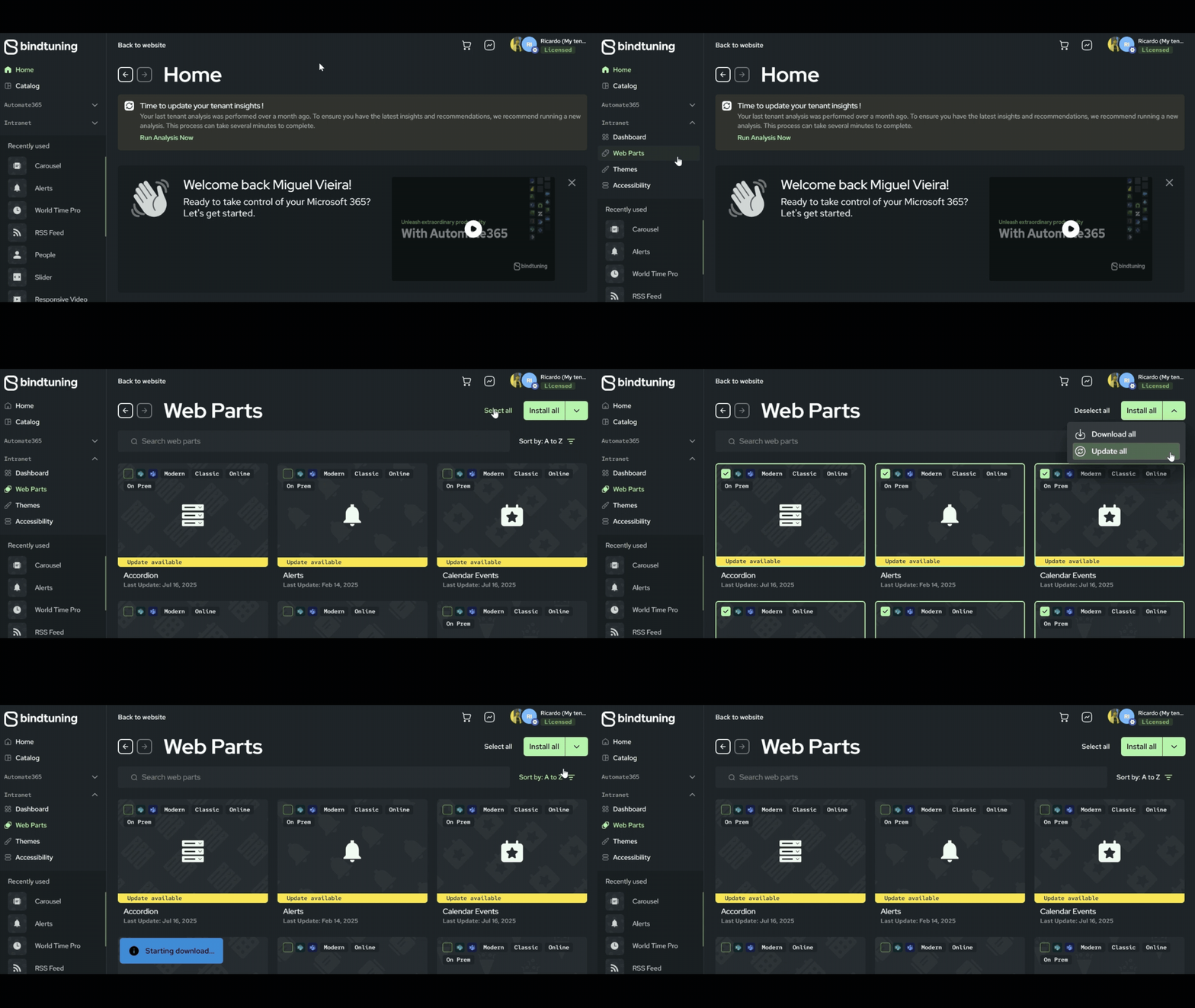
- Login to BindTuning;
- On the left sidebar, click on Intranet > Web Parts;
- Browse through the web parts directory, select all and click on Download All;
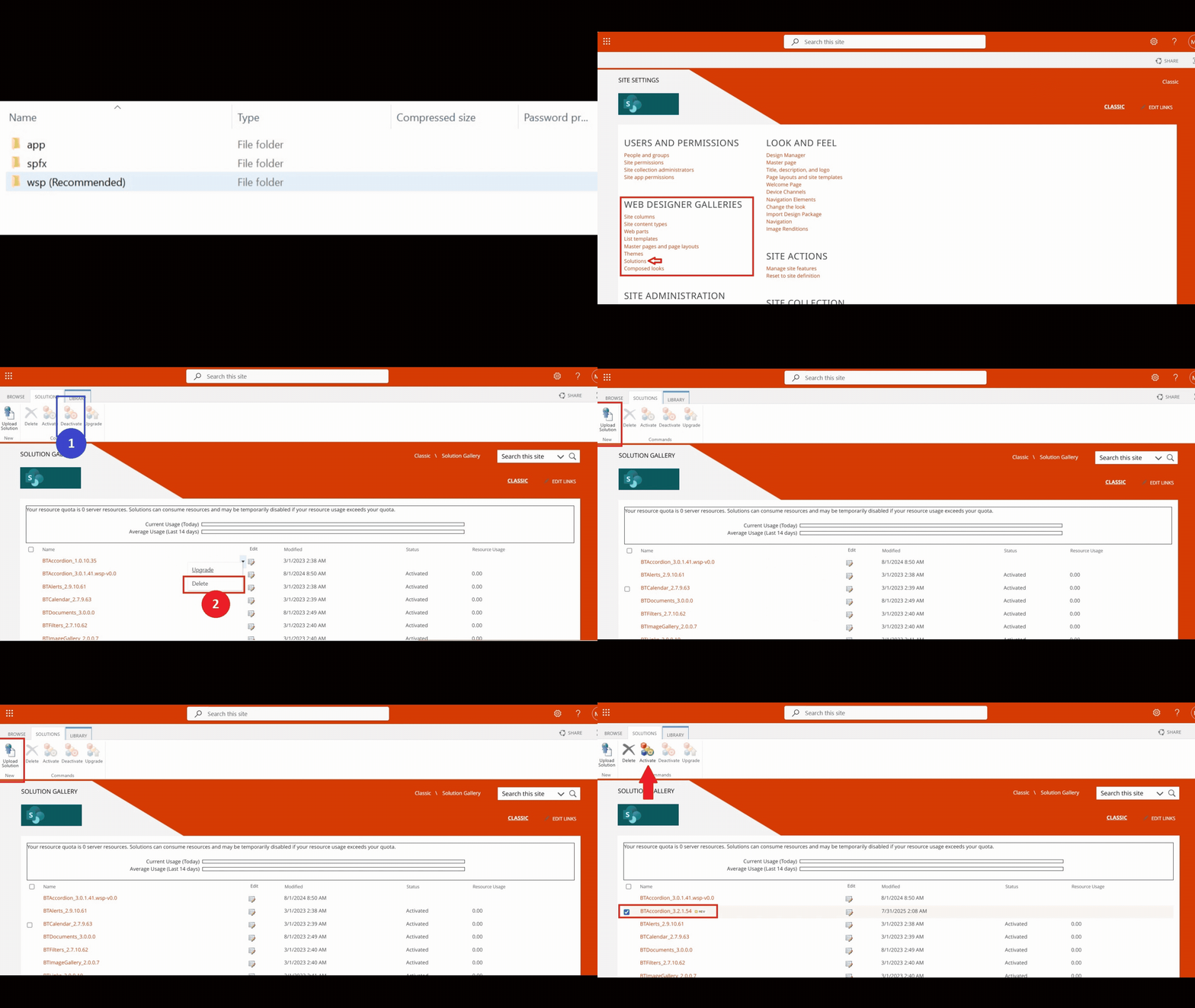
- Extract the files, open the
wspfolder and find the.wspfile; - Go to your SharePoint Site Collection, click on the gear icon in the top-right corner, then select Site Settings;
- Under Web Designer Galleries, click on Solutions and deactivate and delete the current solution;
- Upload the
.wspfile to the Solutions Gallery and activate it.