Installation
- Login to BindTuning;
- On the left sidebar, click on Intranet > Web Parts;
- Browse through the web parts directory, select all and click on Download All;
GIF
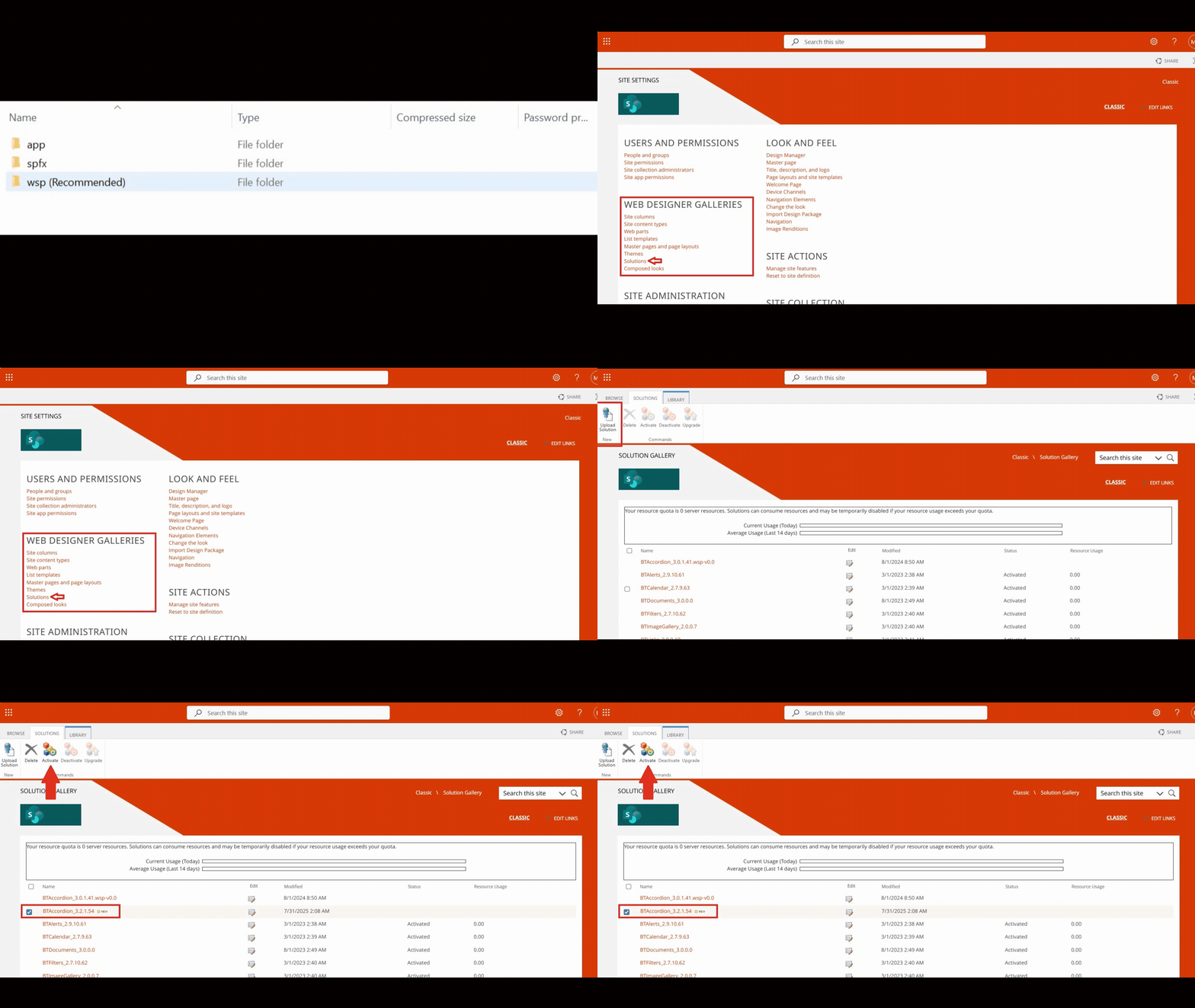
- Extract the files, open the
wspfolder and find the.wspfile; - Go to your SharePoint Site Collection, click on the gear icon in the top-right corner, then select Site Settings;
- Under Web Designer Galleries, click on Solutions and upload the
.wspfile to the Solutions Gallery and activate it.
Note: If the Solutions Gallery is not enabled, the custom scripts need to be enabled on the SharePoint admin page. In the Active sites page, upon selecting a site, under settings, a Custom scripts setting is available for administrators. Make sure it is marked as “Allowed”.