Installation
Install
- Login to BindTuning;
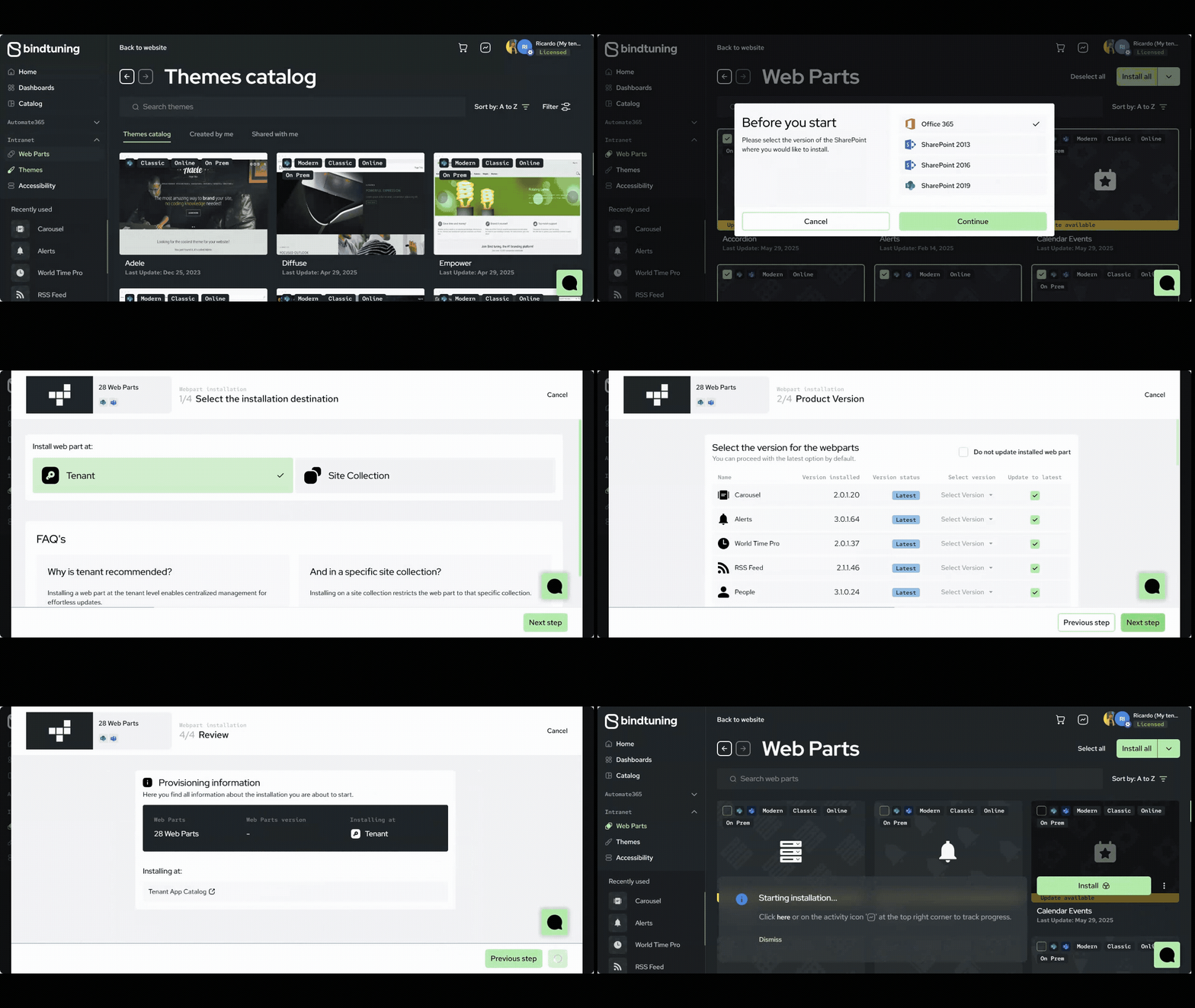
- On the left sidebar, click on Intranet > Web Parts;
- Browse through the web parts directory – on the top right, select All and click on Install All
-
Choose the installation scope:
- Tenant App Catalog – web part is available across all site collections on the SharePoint environment, offering broad accessibility: Click on Next Step > Start Installation
- Site Collection App Catalog – web part availability is restricted only to that specific site collection, providing more localized control: Choose the site collection where the web part should be installed and click on Next Step > Start Installation
-
Check the installation process by clicking on the Activity Report button – a notification will show up when it’s finished.